Flowsheets

From zero definition to $5.6M in pipeline - taking medical flowsheet extraction from raw capability to shipped product in under three months.

User research • IA • AI workflow design • Cross-functional coordination • Go-to-market alignment

Summary

01 Problem


02 Research


03 Design


04 Result

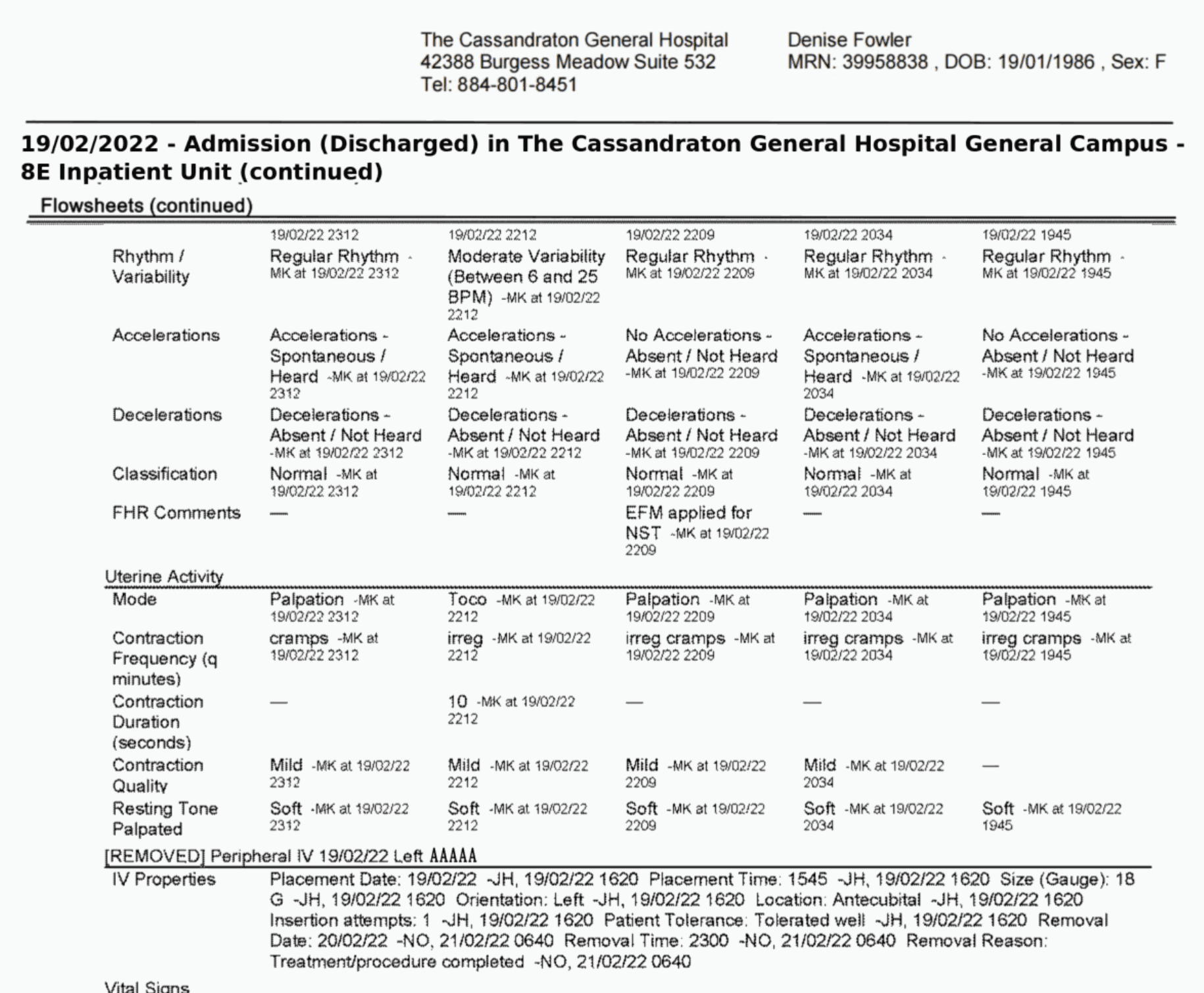
Medical malpractice attorneys were asking for a tool Supio didn't have. Half of the story of a malpractice case lives inside flowsheets — dense nursing records that track vitals, medications, and treatments minute-by-minute — but those documents arrived as thousands of cells locked in PDFs.

As the sole designer, I took the feature from zero defintion to a shipped product in under three months: conducting user research, defining the information architecture, making key calls on AI trust and workflow design, and coordinating across a team in three locations.

THE PROBLEM

Two avenues of truth, but only one was accessible.

Building a malpractice case requires reconciling two different records: medical records, the hospital's documented account of events, and flowsheet measurements, the objective clinical data that doesn't lie.

Before this feature, attorneys had the medical records, and Supio's AI medical chronology, which extracted and displayed individual medical events as distinct data structures in chronological order. The flowsheets, in contrast, were dense, often spanned hundreds of pages, and were a pain to read.

The firms asking for a solution represented over $5.6M in potential contracts.

THE DISCOVERY

We had the extraction capability. We had zero idea what to do with it.

I was brought on as the sole designer with no prior work to build on. The engineering team could extract a flowsheet. No workflow, no IA, no definition of what attorneys would do with the data once they had it.

My first job was to go figure it out.

I started with CS and sales — closest to the customer requests — then moved to user interviews and sales call synthesis. The defining insight:

There is no single way a malpractice attorney works.

2

Medical malpractice attorneys interviewed

12

Sales calls with medical malpractice firms analyzed

Hypothesis first

Started with suspected error — missed medication, abnormal vital — and work backward through the data.

Big picture first

Pull the full extraction, scan for patterns, then narrow down to what matters for the case narrative.

Expert handoff

Need clean, exportable data for medical experts. Just need the tool to get out of their way.

This killed the idea of a guided, deterministic flow. We could design a wizard for "the" way to analyze a flowsheet. That workflow doesn't exist, and ascribing one might create more distrust than value.


The design had to open, giving attorneys full control of their data and the flexibility to approach it however their case demanded.

THE DESIGN

Design Process

Ideation & alignment

Generated a PRD using meeting notes and transcripts in ChatGPT. This helped ensure alignment on the core functionalities we needed.

Wireframes, prototypes in Claude Code

Used Claude to generate possible approaches to the IA: how can we bring together an existing medical chronology and a dense table extraction?


I moved the prototype to Claude Code for refinements, and consolidated all approaches into a clickable prototype I could bring to stakeholder meetings.


Refining in Figma

  • Finalized the separation of the Flowsheets and existing medical chronology surface.

  • Introduced Manage Columns, View Source, Insert & Edit Cells, Filtering, and Export as the data management action set

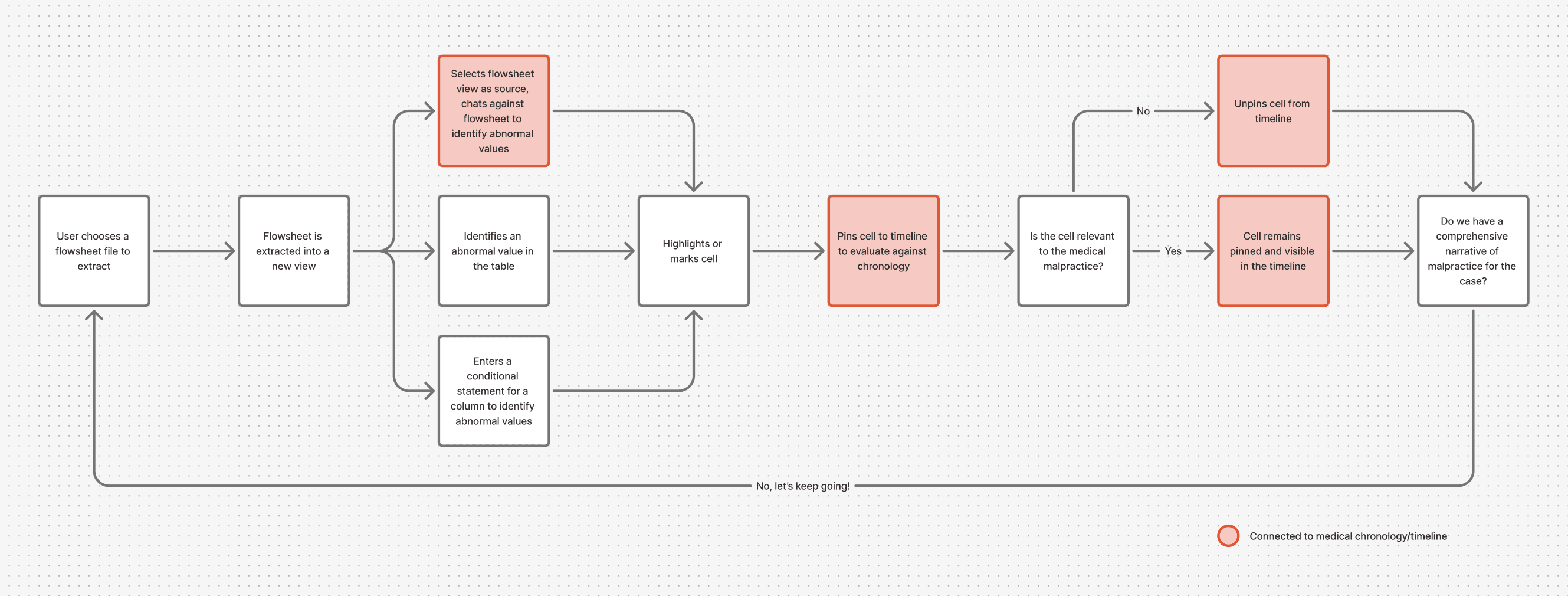
  • Spec'd out Highlight Cells, Pin-to-timeline, and a joint "Pin highlighted cells" function that would allow users to find significant cells and add them to the case narrative.

Claude Code Generation

Figma Refinements + Handoff

I prototyped a whole new surface. Prototyping itself showed us we didn't need it.

ORIGINAL HYPOTHESIS

New dedicated surface

Side-by-side view: scroll flowsheet and timeline simultaneously, pick what to include in the case narrative from each pane.

Pros:
✓  Reduces clicks between the two artifacts

✓ View flowsheet and medical events on one timeline

Cons:
✕  Redundant with existing timeline

✕  Added manual work for attorneys

✕  Two surfaces to build and maintain

MVP DECISION

Extend the existing timeline

Attorneys already needed most of their chronology in the narrative — that's why our medical chronology existed, and why it was so successful in the market. Pin-to-timeline connected individual flowsheet measurements to the surface attorneys already knew, with minimal timeline changes.

Pros:
✓  Leaner MVP

✓  No redundancy

✓  Attorneys already knew the surface

Cons:
✕  Extra click to navigate between two tabs

Step one: turn thousands of locked cells into something an attorney can actually touch.

The foundation was AI-powered extraction from PDFs into an interactive, editable table — dates and times in the first column, metrics across the top. A document that previously required hours of manual transcription became searchable, sortable, and manipulable in seconds.

Cells were made editable by design. AI output should never be ground truth in a legal context — one wrong value could undermine a case. We shipped with editability and manual review guidance, choosing to learn where the real extraction gaps were before building a full confidence layer.

Step two: help them find the needle in the haystack.

Conditional Highlighting
Define rules like "highlight cells where the fetal heart rate is <110" to surface abnormal values across thousands of cells instantly.

Once the data was in the table, attorneys needed ways to surface what mattered. We shipped four interconnected capabilities designed to support every type of attorney workflow.

AI Chat
Ask "Are there any abnormal values?" across flowsheets, tables, and chronologies simultaneously.

Pin to Timeline
Pull critical measurements directly into the medical chronology

CSV Export
Hand off clean, structured date to medical experts reflecting the work done within the platform.

The timeline was already there. We just needed to connect the data to it.

Attorneys already used Supio's medical chronology to build their case narrative — and they needed most of it. Designing a parallel surface would have added complexity without adding value.


Pin-to-timeline let attorneys pull a specific measurement — an abnormal heart rate, a missed dose — directly into their existing timeline with a single action. The flowsheet data became part of the story rather than a separate document to cross-reference.

"This is a game changer. Holy S**T — the exact data I need to disprove opposing counsel."

A medical malpractice attorney, reacting live during a feature demo. Requested platform access before the end of the demo.

Three time zones, one engineer I spoke to in Mandarin, one tight deadline.

Mid-project, the engineering team shifted — at one point we were building across three time zones with part of the team in China. I communicated directly in Mandarin with one engineer when that was the clearest path forward.


What this reinforced: collaboration isn't about keeping people informed — it's about making sure everyone understands the why. When the reasoning is clear, handoffs are smooth.

What I'd do differently: design for narrow use case, you'll spend the next year catching up.

We entered with a narrow definition because we were designing for one specific firm. That focus helped us move fast — but flowsheet formats vary significantly across healthcare systems and case types. We shipped the narrower version intentionally, and we're still discovering the gaps.


A broader research sample early — even a handful of interviews across different firm types — would have given us a more durable foundation. In specialized domains, the cost of a narrow sample compounds as you scale.

There were technical limitations here.